
FAQ Posts
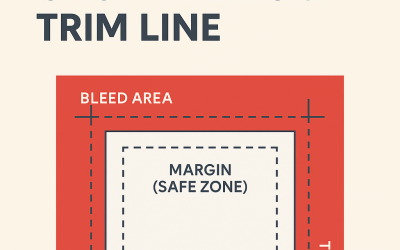
UNDERSTANDING BLEED, TRIM AND CROP MARKS
Understanding Bleed, Margin, Crop Marks & Trim Line: A Guide for Print-Ready Yearbook Artwork When it comes to creating professional, print-ready yearbooks, getting your layout right is just as important as the content itself. One of the most common areas...
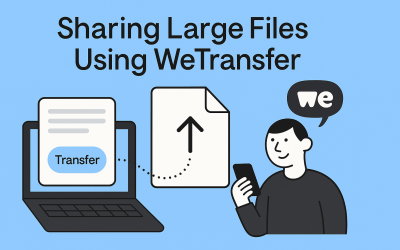
SHARING LARGE FILES VIA WeTransfer
Creating a school yearbook is a labour of love—and it often results in a very large digital file. Between high-resolution photos, graphic layouts, and final print-ready PDFs, yearbooks are rarely small enough to attach to a simple email. That's where WeTransfer comes...

SHARING LARGE FILES VIA Google Drive
Creating a school yearbook is an exciting project—but it also involves juggling massive amounts of content: high-resolution photos, page layouts, design files, and more. Sharing these large files can be a challenge, especially if you’re working with a team of...

SHARING LARGE FILES VIA OneDrive
Sharing Large Files via One Drive Wanting to share your files with us but too large to send over e-mail? Here’s a step-by-step guide to setting up a shared OneDrive folder for your yearbook project. ✅ Step 1: LOG IN TO YOUR ONE DRIVE ACCOUNT First, go to...

HOW TO VIEW TRIM AND BLEED MARKS IN ADOBE ACROBAT READER
1. Download the Proof: Ensure that the proof file is downloaded to your computer. 2. Open the PDF: Open the downloaded PDF file with Adobe Acrobat Reader. 3. Turn On Trim, Art, and Bleed Boxes: Go to Edit in the top menu bar. Select Preferences In the Preferences...

THINGS TO KNOW BEFORE YOU START USING CANVA FOR A YEARBOOK
Essential Setup Tips for a Smoother, Smarter Design Process Before you dive into designing your school yearbook in Canva, it’s important to do a bit of setup work to avoid layout issues, page confusion, and file headaches later on. Canva is a powerful and easy-to-use...